Snippets
aCuotaz Call To Action
Javascript Snippet
You can copy this javascript code to easily include our add-on in webpages without checkout.
<script>
    fetch(`https://apurata.com/pos/cta-acuotaz`).then(
        function (response) {
            return response.text().then(function(text) {
                document.getElementById("acuotaz-cta").innerHTML = text;
                customLogic();
            });
        }
    ).catch(err => console.log(err));
    function customLogic() {
        /* Write your code here*/
        document.getElementById("aCuotaz-button").href="xyz.php";
    }

</script>
After rendering this section, you can access the button whit id="aCuotaz-button" to edit its properties like "href". Write your code inside the "customLogic()" function.
Success Example
You will see something like this after you use the snippet.
Use production credentials (not test) to obtain this result.
aCuotaz add-on
Javascript Snippet
You can copy this javascript code and edit the config values to easily include our add-on in your webpage.
<script>
var config = {
    /*required*/
    client_id : "tecno-tiendaz",
    amount : "200",
    /*optional*/
    params : {
        page : "cart",
        variable_amount : "FALSE",
        multiple_products : "TRUE",
        is_dark_theme : "FALSE",
        continue_url : "https://apurata.com/"
    }
}
fetch(`https://apurata.com/pos/pay-with-apurata-add-on/${config.amount}?` + new URLSearchParams(config.params), {
    headers: {"Client_id": config.client_id}
}).then(
    function (response) {
        return response.text().then(function(text) {
            document.getElementById("apurata-addon").innerHTML = text;
        });
    }
).catch(err => console.log(err));
</>
<div id="apurata-addon"></div>
Parameters
You can include the next parameters for specific add-ons:
-
page => ("cart", "product") : Use to specifiy whether an add-on is for a product o cart.
-
variable_amount => ("TRUE", "FALSE") : Use when the product has different prices.
-
multiple_products => ("TRUE", "FALSE") : Use when the cart has more than one item.
-
is_dark_theme => ("TRUE", "FALSE") : Use when the background color is dark.
-
continue_url => "url" : After the customer clicks on the Apurata logo, he is redirected to our website. This parameter is to return him to the "url" specified.
Success Example
You will see something like this after you use the snippet.
Use production credentials (not test) to obtain this result.
In your webpage, it will look like this:
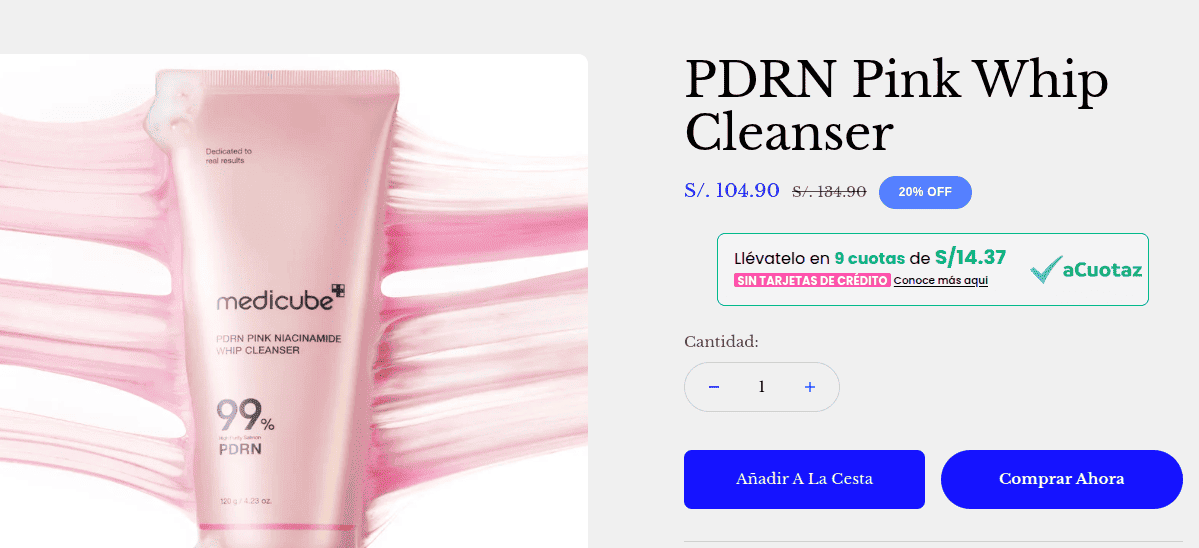
aCuotaz info-steps
Javascript Snippet
You can copy this javascript code and edit the client_id to include our info-steps in your checkout page.
<script>
    var config = {
        /*required*/
        client_id : "tecno-tiendaz",
    }
    fetch(`https://apurata.com/pos/${config.client_id}/info-steps`).then(
        function (response) {
            return response.text().then(function(text) {
                document.getElementById("apurata-info-steps").innerHTML = text;
            });
        }
    ).catch(err => console.log(err));
</script>
<div id="apurata-info-steps"></div>
Success Example
You will see something like this after you use the snippet.
Use production credentials (not test) to obtain this result.
Interactive example
Select a payment method: